
Review by: J. C. Campbell
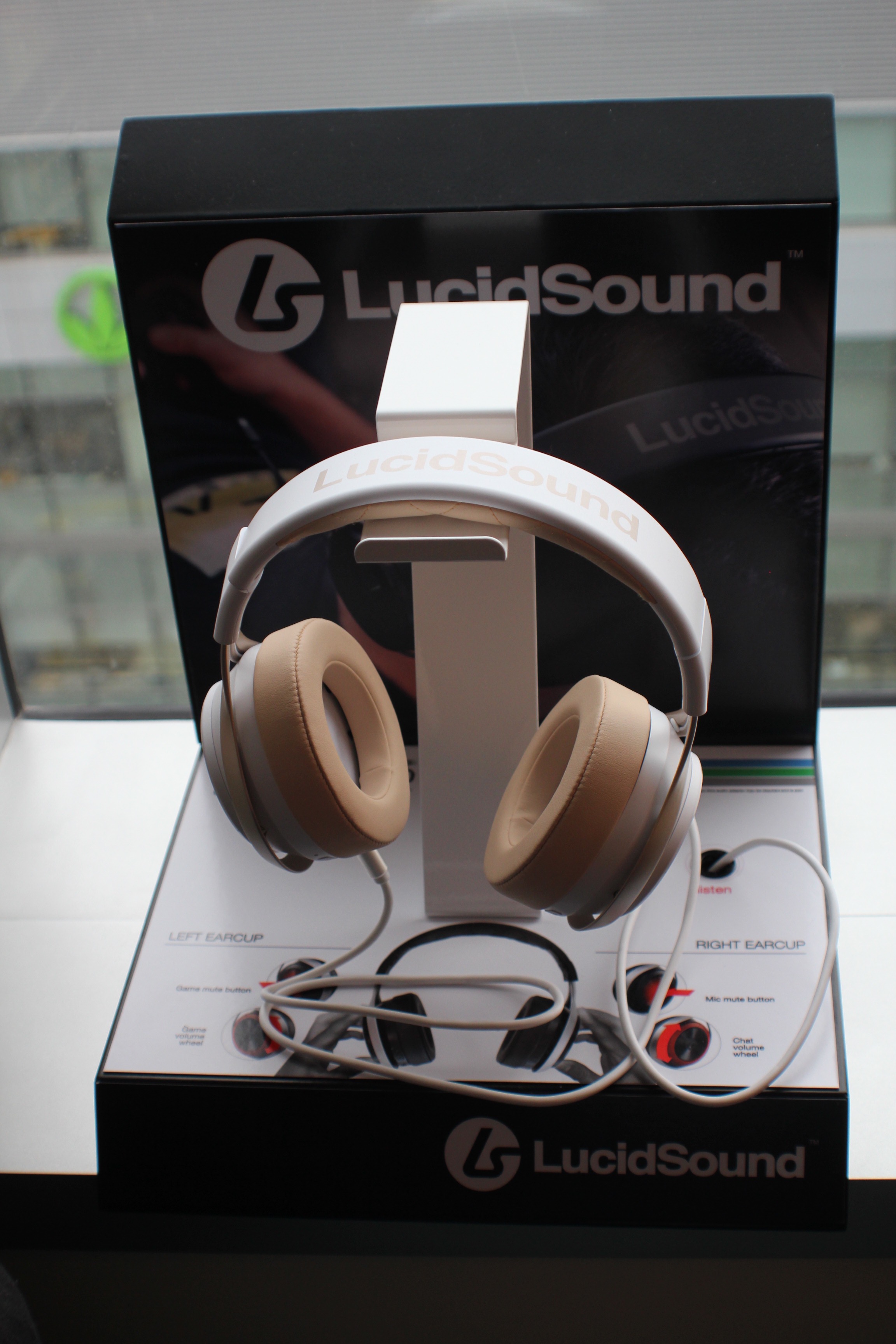
This year at E3 I had the pleasure of meeting up with Alex Verrey of LucidSound, and he gave me a pair of their brand new LS30’s to take home and use. Since then I have been using them, and these are my impressions from use since then.
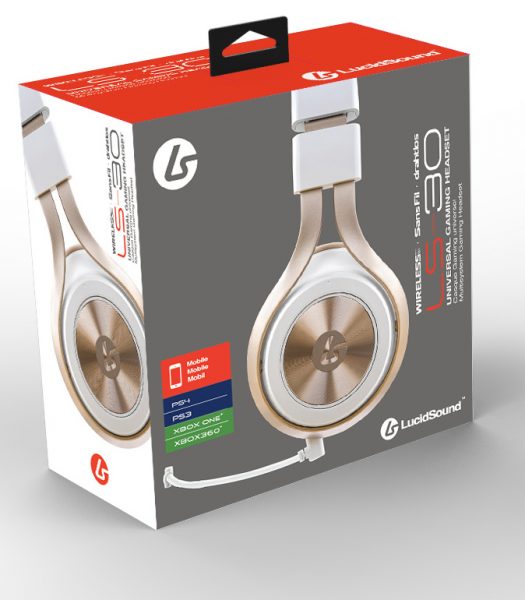
If there’s one thing that defines the LS30 gaming headset from LucidSound, it’s a wide range of unadvertised and understated features. First of all, the headset is advertised as working with consoles, the Xbox 360, Xbox One, PS3 and PS4, and mobile phones. However, the LS30 works extremely well with PCs, a fact that isn’t mentioned anywhere on LucidSound’s site or packaging. This is rather unfortunate, because the LS30 is a near-perfect companion for PC gaming, whether you’re using voice chat software or playing a game with built-in voice chat. That understated quality is the thread running through the whole review: the LS30 does a great deal more than its advertising suggests, and much of what makes it appealing only becomes clear after living with it for a while. With that in mind, the simplest place to start is the plain wired connection.
Standard Wired Mode
The LS30 can be operated in two different modes. In the first mode, the LS30 operates as a normal wired headset with no special features. This is the mode that you have to use with a mobile phone. In this mode of operation, none of the other special features of the headset work. What comes out of your phone is what goes into your ear, and what comes out of your mouth is what goes into your phone’s microphone input. This is done via the standard 3.5mm 4-pin “TRRS” combined microphone and headphone jack. The LS30 can be used with standard 3-pin PC 3.5mm headphone and microphone jacks, or any other analog setup if you get the correct adapters. In this straight in, straight out mode you won’t get any of the fancy bells and whistles but you do get a perfectly good mobile-ready headset with a microphone. There is nothing to switch on, nothing to configure, and nothing standing between the phone and your ears — which is exactly the point. That straightforward, analog character also makes it easy to understand: it simply passes sound in both directions, and does that job well. That plain wired mode works well enough, but the LS30 really shows what it can do once you go wireless.
Wireless Gaming Mode
However, what really shines on the LS30 are all the wireless digital features. In this mode the LS30 uses a USB stick as a wireless digital transmitter and adds various features such as mute, microphone monitoring, microphone monitoring mute, three different equalizer settings, and on-ear volume controls. Wireless mode is strong, and has perfect performance as long as you are in the same room as the headset, or one room away. I was able to listen clearly even on a different floor from the transmitter, as long as I stayed in a room that was above the room with the transmitter. I would guess the maximum range on the wireless transmitter to be around 100 feet in a circle around where the transmitter is placed. In practice, that means the connection does not feel fragile or fussy in everyday use; it simply keeps working as you move around the house, within the limits described here. Range, however, is only half the wireless story; the other half is how you control the volume.
When using the transmitter, volume can only be controlled by the on-ear volume control. In some ways, this is good because it simplifies the number of volume controls that might be accidentally turned down. I have often had to check the volume control in a game, the volume control in my OS, and the volume control on my speakers to figure out which one was turned down so I could get sound back. The LS30 eliminates the OS volume control from the picture. The volume on the LS30 ranges from uncomfortably loud to not-quite-quiet-enough. You can turn the volume all the way down to 0 using the ear-knob, without muting, and it acts exactly as a mute, but the step above that, while very quiet, might not be quiet enough for everyone or every situation. That single control is a real simplification in daily use, because it removes one more place where sound can quietly disappear. At the same time, the range itself takes some getting used to, since the top end is louder than comfortable and the bottom end stops just short of silence.
The mute functions play two different tones to indicate which function is being muted (the monitor or the normal audio) and whether it’s being muted or unmuted. No matter what the volume is set at, the in-ear tones the LS30 plays to tell you that it’s muted or unmuted are always the same volume, which can be a little startling if you have the volume down. Unfortunately, because the mute buttons are on your ears, this makes the headset hard to use while lying down with the ears against a pillow because the mute button will get triggered accidentally. Learning those tones quickly becomes second nature, even if their fixed volume means they can catch you off guard when everything else is turned down. Once volume and mute are under control, the next question is how the sound itself can be shaped.
Equalizer Settings
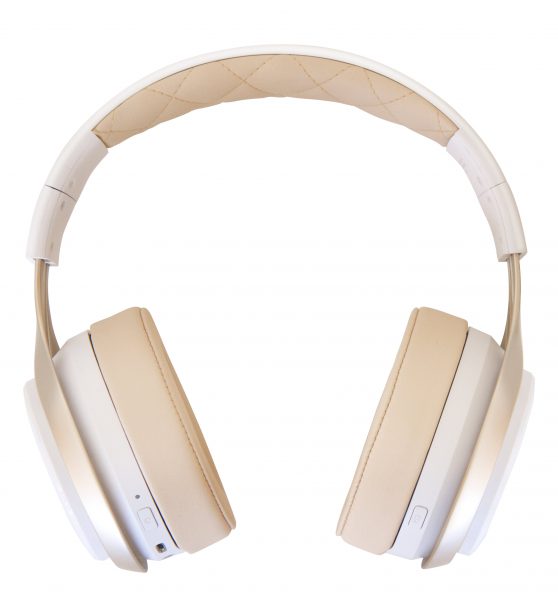
The three different equalizer settings are for normal, enhanced bass, and enhanced treble, and can be switched with a small button on the right ear of the headset. In normal mode, the headset sounds perfectly adequate, definitely high-quality sound, though it doesn’t match the quality of a pair of high-end studio monitor headphones. This can’t really be held against it, because such headphones would cost as much if not more than the LS30, and would come with none of its features, let alone a microphone. Switching between the three settings is quick and simple, and each one changes the character of the sound in a way that is easy to hear without being confusing.
LucidSound claims that the audio is transmitted wirelessly uncompressed, and I certainly didn’t notice any compression artifacts. Listening to music, the LS30 sounds like a pretty neutral pair of headphones, with possibly a little less bass than would be preferred for some genres of music. But the LS30 of course has a mode to fix that, the bass enhancement mode. When in the bass enhancement mode the bass becomes noticeably more pronounced but not obnoxiously so. In treble-enhancement mode, the sound of the LS30 is, quite honestly, terrible for listening to music. However, it could be useful for some purpose such as listening for the footsteps of enemies in a game. That range of choice is part of what makes the LS30 feel flexible rather than one-note. Good sound is only useful while the headset is running, which brings us to battery life.
Battery life
Since the LS30 is wireless, it does have a built-in battery which lasted for over 15 hours in my testing. While this is definitely enough for a full day’s worth of non-stop gaming, the LS30 can also be charged while in use by simply connecting the standard micro-USB port to a USB charger. The headset also gives you plenty of warning when you’re running low on battery, playing two beeps into your ear every few seconds to warn you. That combination of long life and charging while you play means a low battery rarely has to end a session. The warning beeps, repeated every few seconds, are hard to miss, which is exactly what you want before the headset runs out mid-game. With power covered, the other half of staying in touch is the microphone.
Microphones
One of the biggest features of the LS30 for me is its ability to monitor the microphone output. This means you can hear yourself talk while you use the headset. This is important because it helps prevent awkward situations where the microphone is either too close or too far away, and suddenly your teammates are either annoyed or can’t hear you at all. This also prevents the issue of having over-ear headphones dampening your voice. This can cause you to speak unfortunately loudly, which can be disruptive to others.
This feature gives you an accurate representation of how you sound and how much background noise comes through. It is common for games or other software to provide this functionality also, but in games and other software (such as Teamspeak, Mumble, Discord, Skype, etc.) there is a tiny delay between when you say something and when you hear it. That tiny delay can be aggravating and makes most people talk strangely and slowly, but it does not exist in the LS30. Therefore, using the LS30’s built-in monitoring is far preferable to using software monitoring. For anyone who has spent a session wondering whether teammates can actually hear them, that immediate feedback is reassuring. It also makes it easier to adjust how close the mic sits and how loudly you speak, before anyone else has to point out a problem.
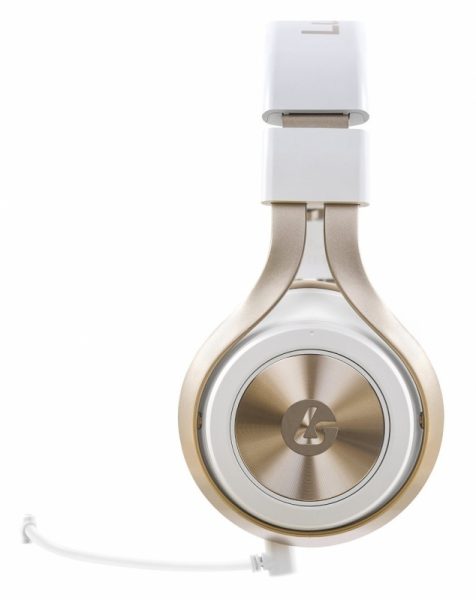
On top of that, the LS30 has two microphones. One is a boom mic that has a rich, warm sound, as long as you’re not speaking directly into it. The boom mic has an LED on it which lights up when the mic monitoring feature is disabled. It is also removable, and when you remove the boom mic, another microphone mounted on the left ear takes over which also has an excellent sound quality, but its position is not adjustable.
Nitpicks
Even with those microphone strengths, a few small nitpicks are still worth noting. I do have a few nitpicks, however. First of all, on my unit the audio mute and the monitor volume were on the left side whereas the monitor mute and the audio volume were on the right side. I don’t know if every unit is like that or if mine was just cross-wired by accident at the factory. Second, the included USB cable is far too short to charge the LS30 while it’s being worn, even though the headset itself supports that feature. The headset does not remember your volume, mute, or EQ settings when you turn it off and turn it back on again, which is slightly annoying but not a big deal. None of these issues spoils the headset, but each one is the kind of small, everyday annoyance you notice precisely because the rest of the experience is so smooth. Those nitpicks aside, they do little to change the overall impression the LS30 leaves.
In Conclusion
I found using the LucidSound LS30 headset very enjoyable. It’s for sure one of the best gaming-related headsets I have ever used. The wireless features of the LS30 make it very liberating to use. I can get up and move around, and even walk to another room while still being connected. Since both major consoles and PC now have much more than gaming involved, you could for example take a Skype call with you to the kitchen, or bathroom without ever hanging up. It has intuitive controls. The ear-mounted plates are simple to use, turn one way for up and one way for down, press in to mute. It’s as simple as it gets. That combination — excellent sound, intuitive controls, and the freedom to move — is what lifts the LS30 above most gaming headsets I have tried.
The sound is great both for me and my teammates. If you are in a noisy environment the microphone will get your voice relayed to your teammates, and the drivers in the headset ensure you can hear your teammates. This is hugely important, because in my experience, most headset mics are plagued with issues such as being too quiet where the LS30 is not. In addition, it’s comfortable for long periods of wear. It is not just a headset for sitting still at a desk; it is one that fits naturally into a whole day of gaming, talking, and moving around the house. I will be happily using the LS30 as my personal headset because of its excellent sound quality and the freedom it gives me to game all day while still getting up and walking around without losing contact.
Prices and where to get it
At the time of writing the LS30 can be found for $120-$150 in the US which is an excellent price given the rich feature set and wide-ranging compatibility. You can currently buy it at GameStop, Best Buy, Newegg, or Game if you are in the UK. The LS30s are available in black and white with champagne accents.